





What is Google Search Console?
Google Search Console is one of the many terms within online marketing that I have briefly explained in my digital dictionary. In this post, however, I want to take a closer look at this tool from Google and explain how you can benefit from it yourself.
First and foremost, Google Search Console is a free tool from Google that helps website owners monitor and improve their site’s visibility in Google Search.
In other words, using Google Analytics you can get an overview of the traffic on your website; for example, how many have visited your site, how they were directed to it, and how many users convert into customers.
Read my full guide to data analysis here
Google Search Console is therefore an extension of this Analytics tool and is particularly useful for those who work with SEO and are interested in knowing more about optimizing the positioning of websites in Google’s search results.
Installing Google Search Console
How to get access:
Go to the Google Search Console homepage.
- Click ‘Start now’.
Log in with your Google account. - Adding a property:
After logging in, you need to add your website as a ‘property’. - Click ‘Add property’.
Enter your website’s URL and follow the instructions. - Ownership verification:
To verify that you own the website, you need to follow one of the suggested methods, such as uploading a specific file to your server or adding a meta tag to your website’s code.
You are now ready to get started.
Page experience
After installing Google Search Console, it is essential to dive into how this tool can become a cornerstone in securing your website.
Google Search Console is not only a good tool to analyze your site’s performance in the search results, but it is also crucial for monitoring and maintaining security.
Under the “Page experience” section in your console, you can quickly identify if Google has found malware or other security threats on your site, as well as manual penalties imposed by Google.
By proactively acting on these notifications, you can ensure that your website remains safe and trustworthy for both users and search engines.
How does your website appear in search results?
Search Console is a useful tool to gain insight into how Google essentially views your website. In other words, it means that you gain valuable knowledge about where your website is placed in the search results and how often it appears there.
Factors that come into play here are the ranking factors Google uses. This includes websites with both external and internal links.
With Search Console, you will be presented with which external websites link to yours, as well as where you could add internal linkson your own website to enhance the visibility of your pages.
Every search engine, especially Google, has a set of criteria it uses to assess websites’ relevance and quality. A significant part of this is link building – both external links (who refers to your website) and internal links (how your content is connected within your own website).
With GSC, you can see which external websites link to your page. More importantly, you can also find out which parts of your website can benefit from a stronger internal link structure. By optimizing these internal links, you can improve user navigation and potentially increase the time they spend on your website.
All of this can ultimately help improve your website’s visibility.
Indexing your website
In a previous post, I described that it is through Google Search Console that you upload a website’s sitemap. By using a sitemap, which shows your website’s information and content, you can monitor via Search Console how your site is crawled and indexed in Google’s database.
It is also through Search Console that you can request indexing to your website’s content and keep track of whether the respective pages are being crawled and indexed again.
In case of errors or problems with indexing, for example new or updated content on your site, you will receive automatic notifications from Google.
Mobile usability analysis
Most websites I have worked with receive more than 70% of their traffic from mobile devices. Therefore, Google has made mobile usability a critical ranking factor.
Google Search Console offers a tool, “Mobile usability,” where you can test how well your site performs on mobile devices. This analysis provides detailed insights into which pages on your website are not mobile-friendly and what the specific issues are, so you can make the necessary adjustments to improve user experience and your search engine optimization.
Core Web Vitals
Google has introduced Core Web Vitals as part of their user experience measurements that affect your website’s ranking.
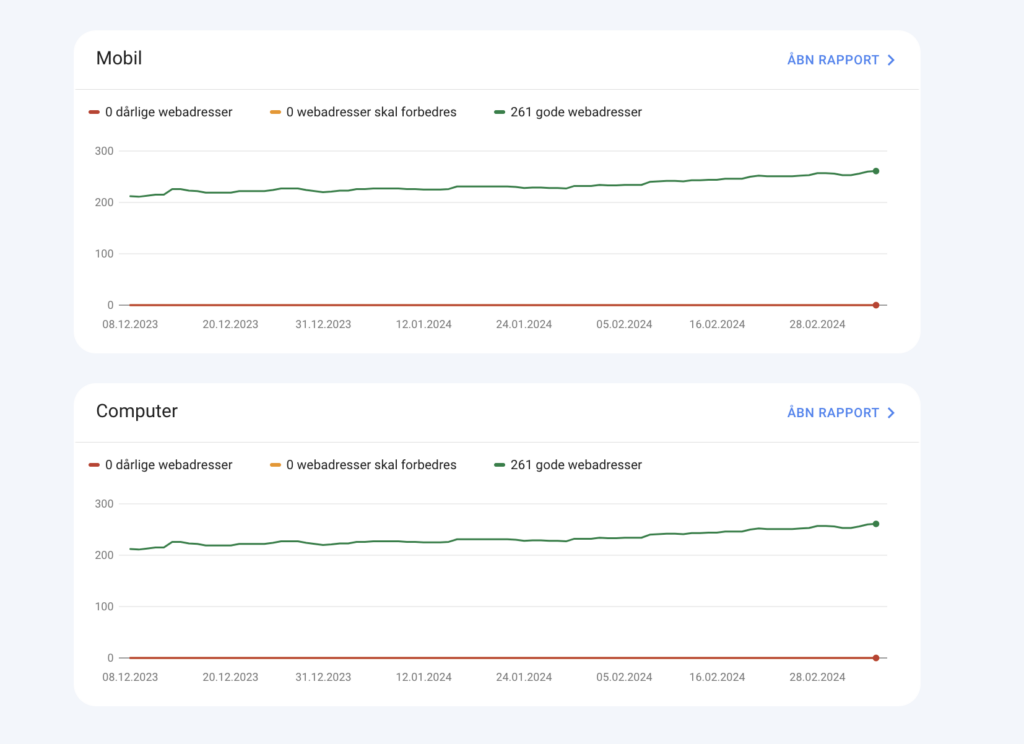
These vitals measure the speed, responsiveness, and visual stability of your site. In Google Search Console, there is a report dedicated to Core Web Vitals that gives you an overview of how your site is performing and which pages need improvement.
By optimizing these aspects, you can not only improve your ranking in the search results but also provide a better user experience.
Performance reports
In addition to insights into the indexing process, Google Search Console can also provide tools that show you which queries and keywords have led users to your website. Furthermore, you can gain insights into where the traffic specifically comes from.
Do users click into your website via links from other sites, ads, or through Google’s search results? Which geographic locations drive the traffic, and which specific pages are being clicked on?
With these insights, you can optimize and fine-tune your SEO strategy so that your website achieves maximum performance.
I use Google Search Console as one of my standard tools – often in combination with Morningscore for the SEO part.
Since ChatGPT launched their own “advanced data analysis,” I also often use these two together.
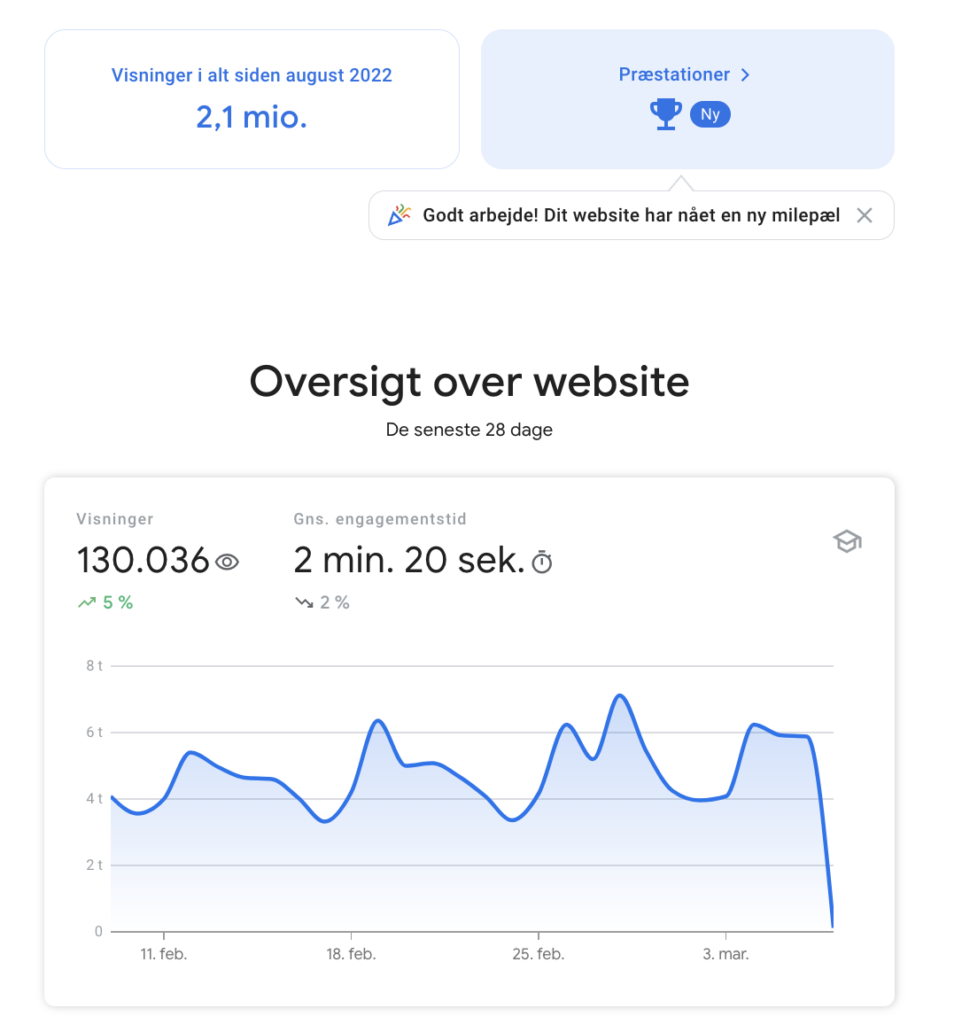
Also pretty cool with the gamification they have built into their reporting.





Comments