




Instagram advertising! The most talked-about marketing topic in the past few months. Now it’s here, but how do you actually create it and how does it work in practice?
Without turning this into an article about investments, you start to understand Facebook’s acquisition of Instagram. It’s a platform growing rapidly, and now it also has the opportunity to monetize its huge user base!
Connect your Facebook page with your Instagram profile
To advertise on Instagram, you need to connect your Facebook account or page with your Instagram profile. You do this in the settings of your page. You can do this whether or not you have a Business Manager account.
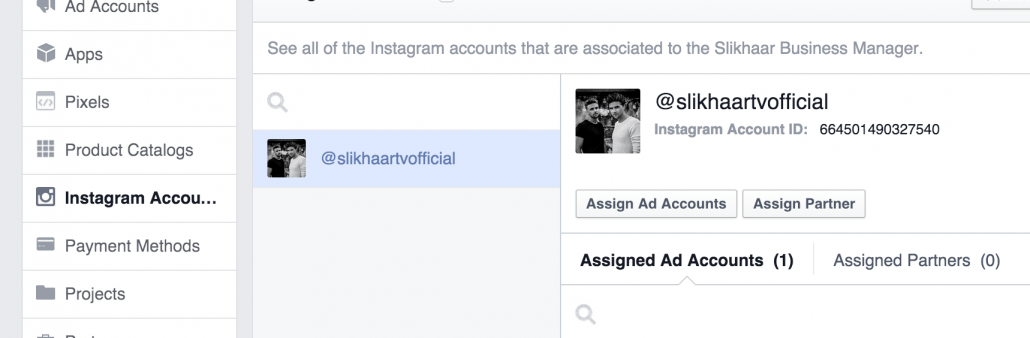
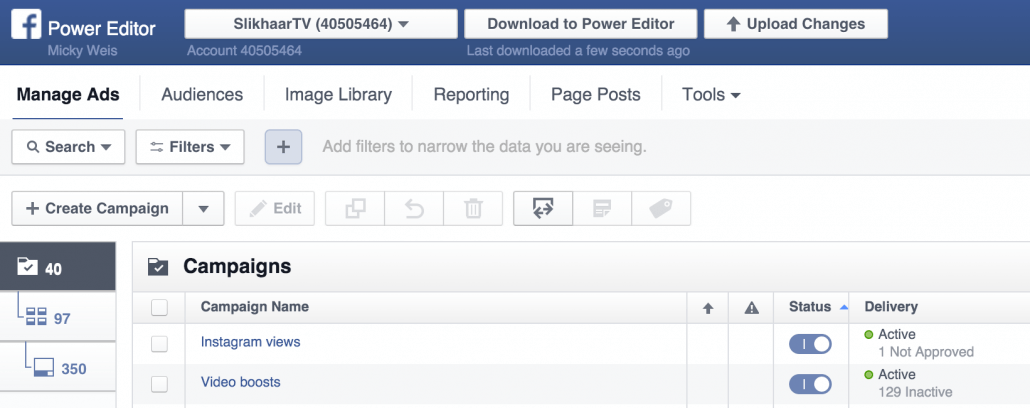
The fact that Facebook owns Instagram becomes apparent when creating ads. You cannot create Instagram ads without using Facebook. Everything runs through Facebook’s Power Editor, so it’s important to be familiar with it.
Example of my Power Editor for SlikhaarTV
Creating campaigns
The first step is to create campaigns. After clicking Download to Power Editor, click create campaign. A popup will appear where you can choose the objective—what is the goal of your campaign?
Currently, there are three objectives you can choose for your Instagram ads:
- Clicks to website (You can add a button under your images linking to your site, e.g., for sales)
- Mobile app install (You get a button labeled “Install app”)
- Video views (You get video plays and can link to your website, YouTube channel, or similar)

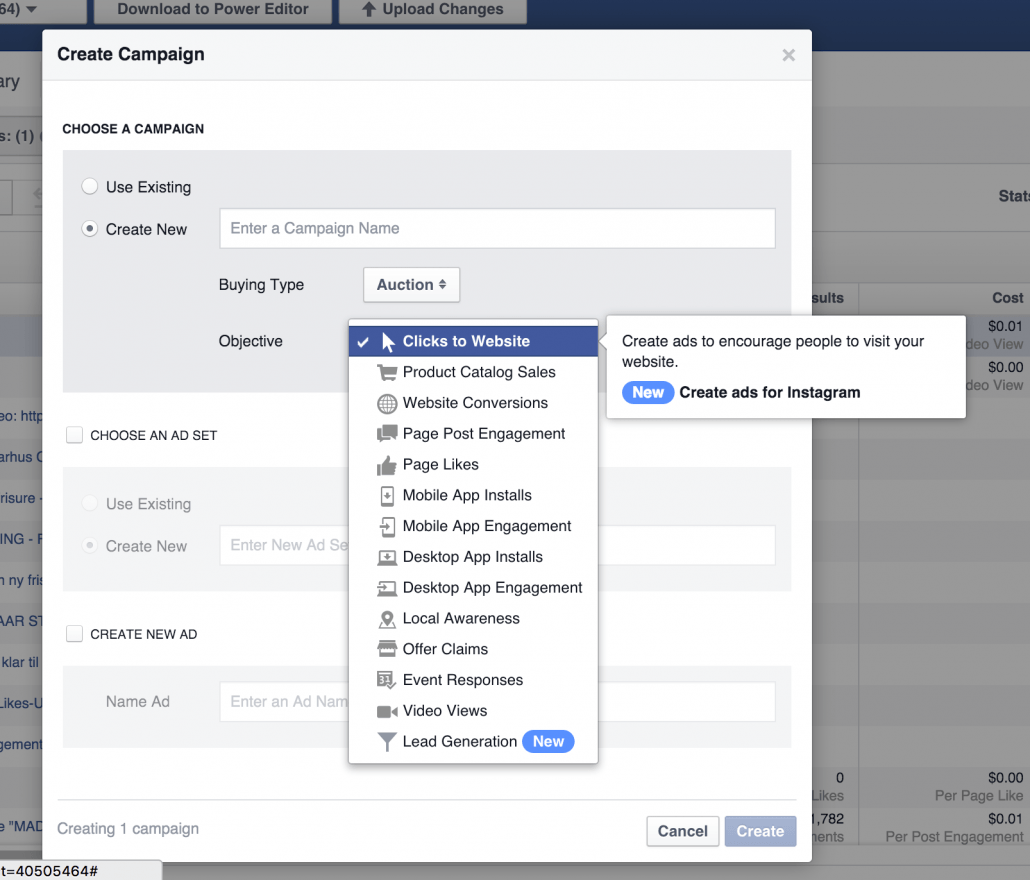
Let’s choose video views as the objective. This is what I chose for SlikhaarTV. Then you need to create an ad set, where you define your audience and placements.
Creating audiences and placements
Click create ad-set!
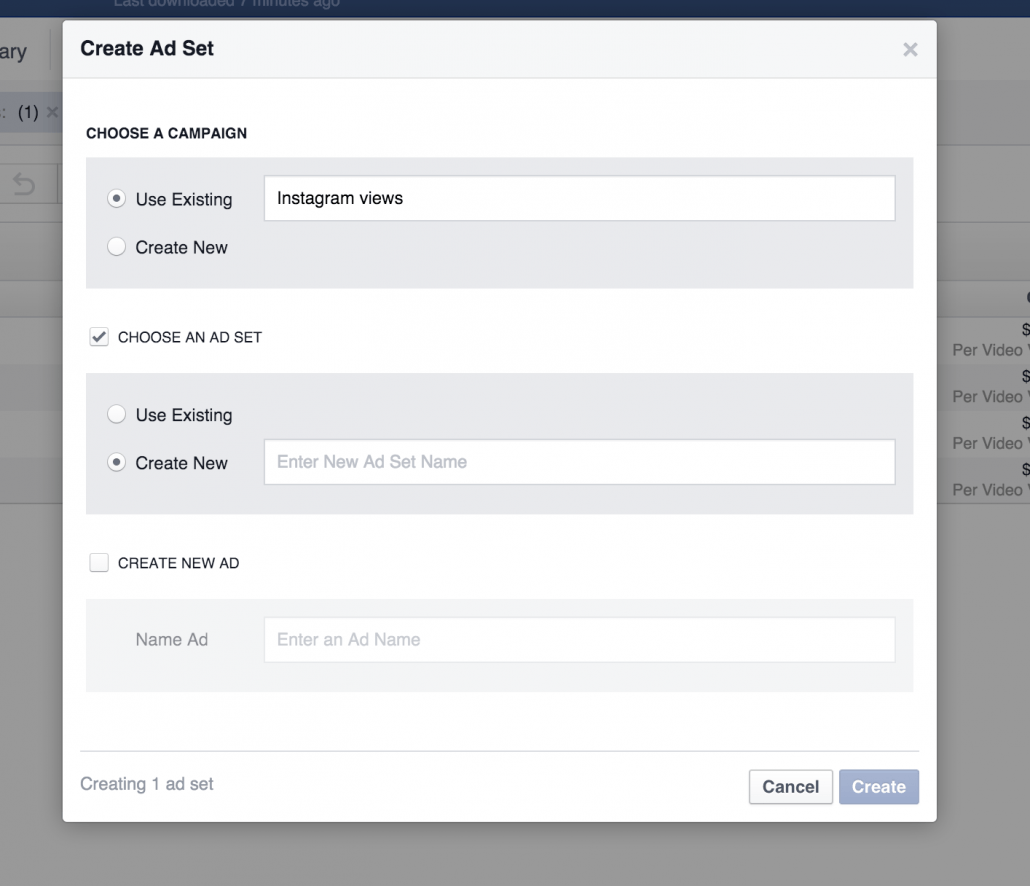
After creating your ad set, click edit to modify your audience. First, define your audience. If you’ve read my previous posts, you know I always work with detailed segmentation to ensure quality.
For example, I installed a code on my website, so under custom audience, I target All visitors—all visitors from Slikhaarshop.com. Facebook compares this data with Instagram, so from all Slikhaar shop visitors, I can reach 33,000 people on Instagram.
Notice that I exclude the fan page because I use this audience in another ad set, avoiding overlap to get the best data.
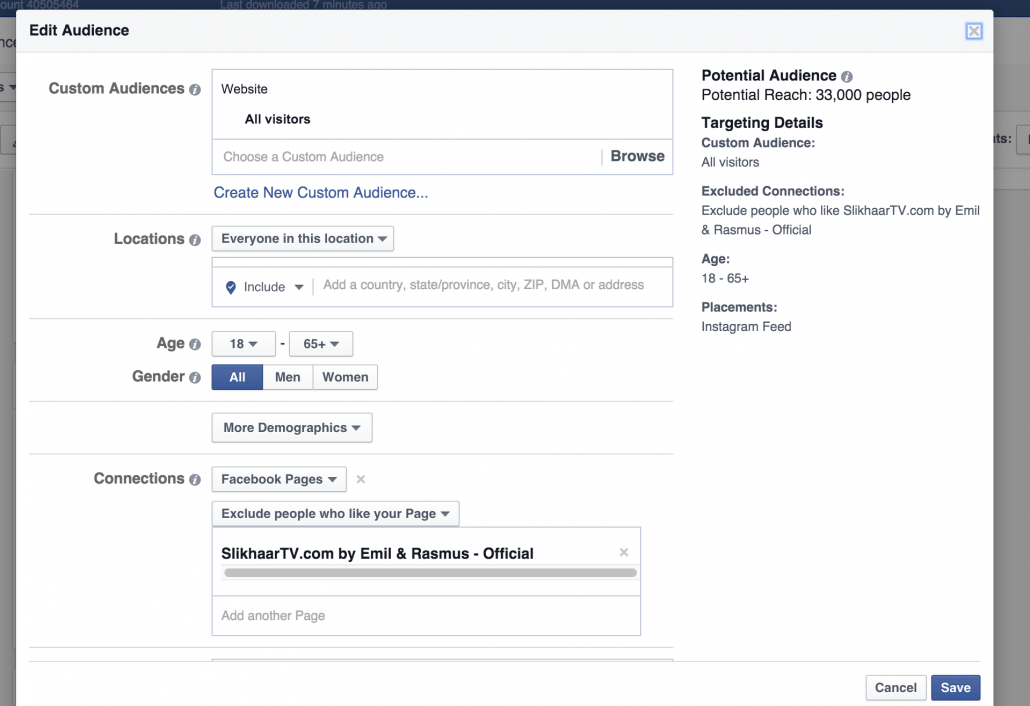
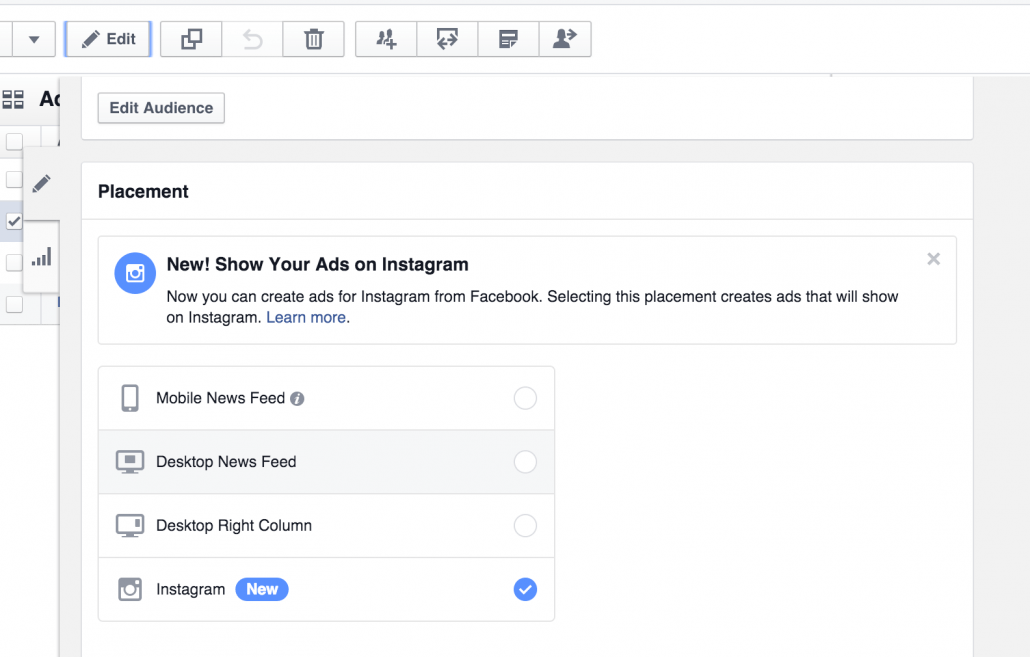
If you’re wondering how I selected Instagram, don’t worry. Look at Placements on the right side—you’ll see Instagram Feed.
This placement is chosen right under where you edit your audience. Note that it says Instagram. You can run ads in multiple places, but I usually stick to one placement to save time analyzing which placements perform best.
Creating ads
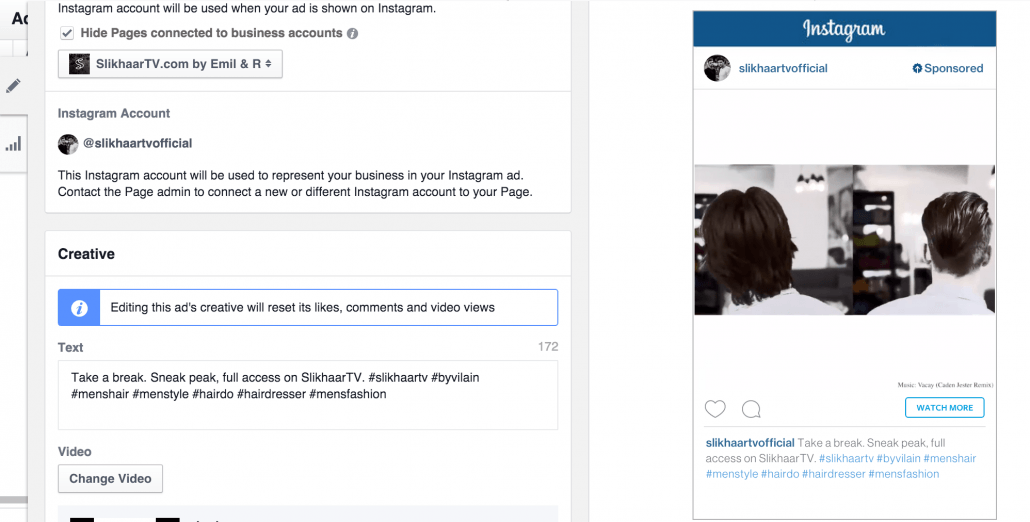
The last step is creating ads. You can probably handle this yourself, but it’s important to pay attention to performance on Instagram. I’ve already seen many ads that are not designed well for Instagram—they just don’t engage.
If your Facebook page is connected, you’ll see your Instagram account below.
For Slikhaar, we chose video views because we have strong video content. Our Watch more button links directly to our YouTube channel to boost subscribers. Remember from my previous post: it’s about tracking your KPIs.
Conclusion
It’s still too early to say much about the effect of my Instagram ads. We work in an international market with video content, which is easier than, for example, branding a local sports store on Instagram.
So far, it seems we get low-cost views, and around 90% of viewers watch the entire video.
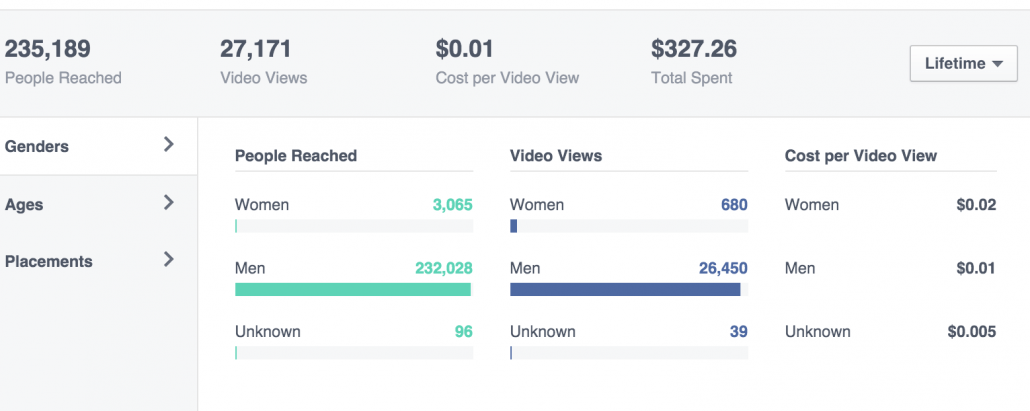
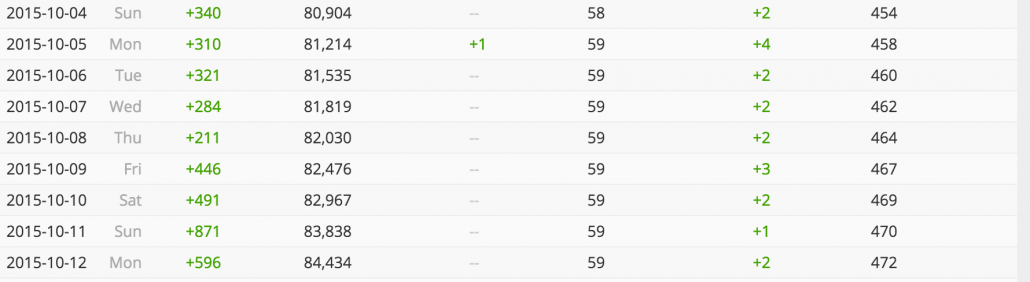
We’ve also noticed a small increase in Instagram followers. Whether the numbers from Socialblade are 100% accurate is uncertain, but we’re giving it a week and are already producing content tailored specifically for Instagram.
Of course, Facebook still drives the majority with over 50 million video views in the past six months, and YouTube with over 100 million, but overall it looks like Instagram can keep up.
We’ve run ads from August 9–12, and the number of followers seems to be increasing slightly. We will cross-check the numbers over time, but if they hold, this is a promising marketing channel.
Our followers are high quality due to our highly segmented audiences.
That’s all for now. I hope this guide helps you set up your first Instagram ads and start testing them.
Have you tried them yet, and what are your experiences?


Comments