




Are you on Snapchat?
If not, you might want to consider it — Snapchat is currently the fastest growing social network!
I previously wrote a longer post about Snapchat marketing, covering how companies can achieve great success with it.
Today, we’ll look at how you can use Facebook ads to boost your Snapchat!
Let’s get started!
Create your Snapchat URL
The first thing you need is your Snapchat URL for your personal or business profile, of course.
Create Snapchat URL: https://www.snapchat.com/add/YOURUSERNAME
Mine looks like this: https://www.snapchat.com/add/mickyweis
Create a Facebook campaign
The idea with Facebook advertising is to reach the right users who will become part of your Snapchat followers. If you’re a blogger or a business selling products suited for Snapchat, this is a great opportunity!
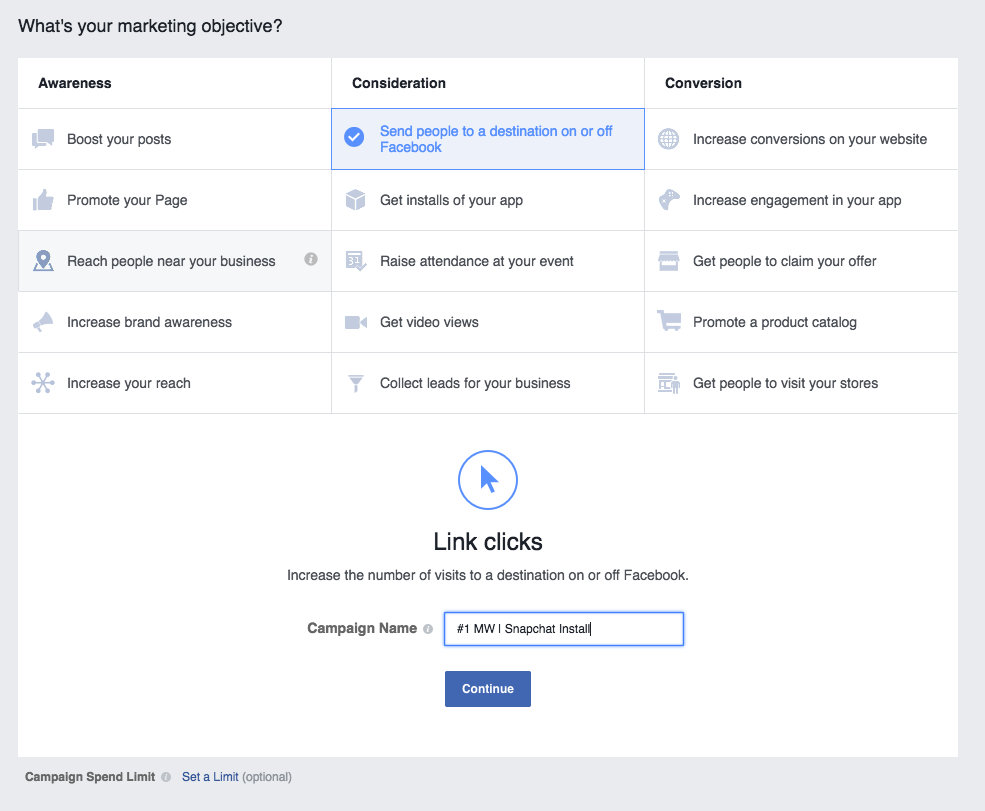
Start by creating a Facebook campaign through Power Editor and choose “Clicks to website” or “Off-site destination” depending on which version of Facebook Power Editor you have.
Set up audiences
Once the campaign is created, we want to set up audiences that make sense for our brand.
Ask yourself these questions:
- What age group is on Snapchat?
- Which locations make sense for your business?
- Do you have users on other platforms you want to bring to Snapchat?
Custom audiences
If you’ve read my previous posts, you know I’m a big fan of using custom audiences because it lets you target users who already have a relationship with you — users familiar with your website, app, or newsletter subscribers — they know who you are, so they’re more likely to add you on Snapchat too.
Custom Audiences is an advanced feature within Facebook’s audience tools where you can choose more detailed segmentations. For example, you can create audiences based on website behavior, upload an email list of current newsletter subscribers, and more. It takes some time to master, but once you get a feel for it, it’s one of the platform’s strongest tools.
Custom audiences I will use for this campaign
- Visitors to my website (www.mickyweis.com)
- Subscribers to my newsletter
- Engagement on my Facebook page (those who like most posts)
Haven’t fully set up custom audiences or installed the code on your website to target visitors?
Keep reading — I’ll share some other audience ideas.
Fans
Do you have a Facebook page or Instagram profile?
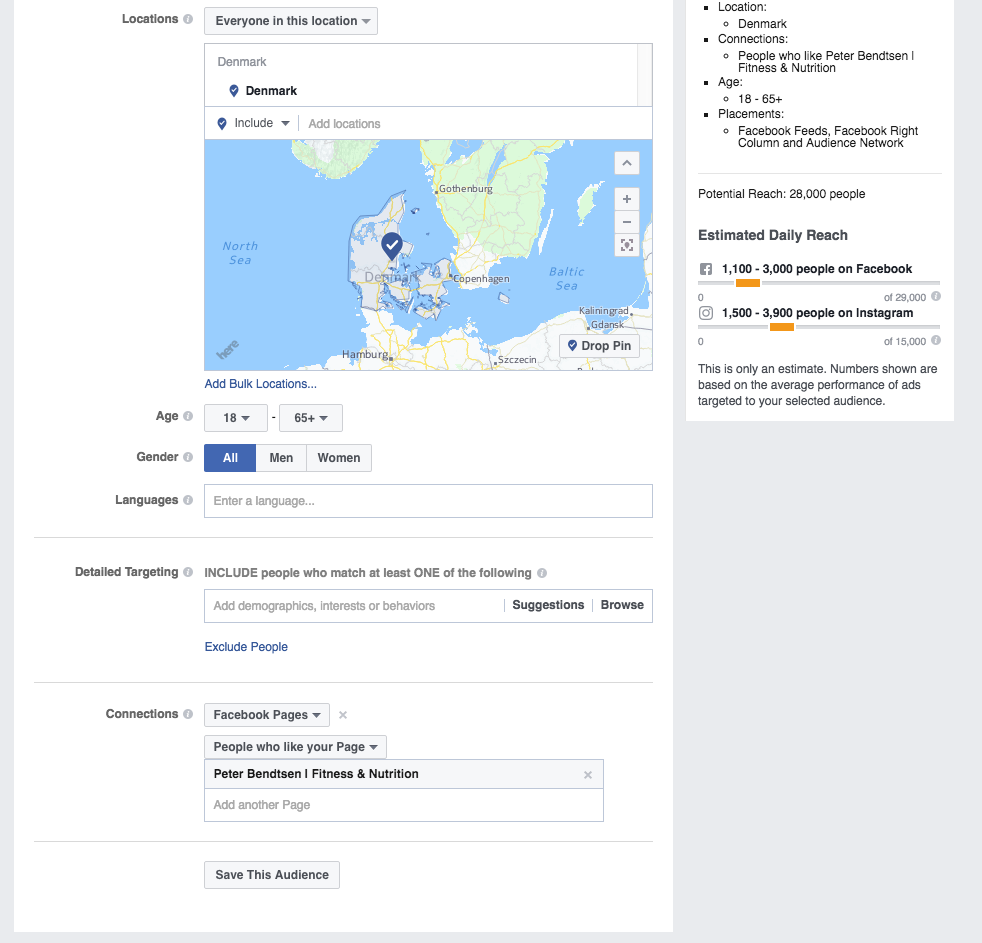
Then you can also target your fans. Since they’re already exposed to your brand, they’re more likely to add you on Snapchat too.
For example, if I were to run a campaign for Peter Bendtsen, I’d target his Facebook fans with the Snapchat campaign.
Don’t have a large Facebook page?
You need a Facebook page to advertise — so that’s a requirement. But maybe you just don’t have many fans yet!
Let’s look at another audience option that requires neither fans nor a website.
Age, location & interests
Segment by age — which age group makes sense for you, your brand, and business to have on Snapchat?
Let’s take Peter’s example again.
Peter is a personal trainer and a respected name in the industry. There are many similar Facebook pages and interests in the Fitness & Health category.
Let’s see if Peter’s brand can attract people not yet exposed to him.
Broad audience setup for Peter Bendtsen
Based on interests, age, and location
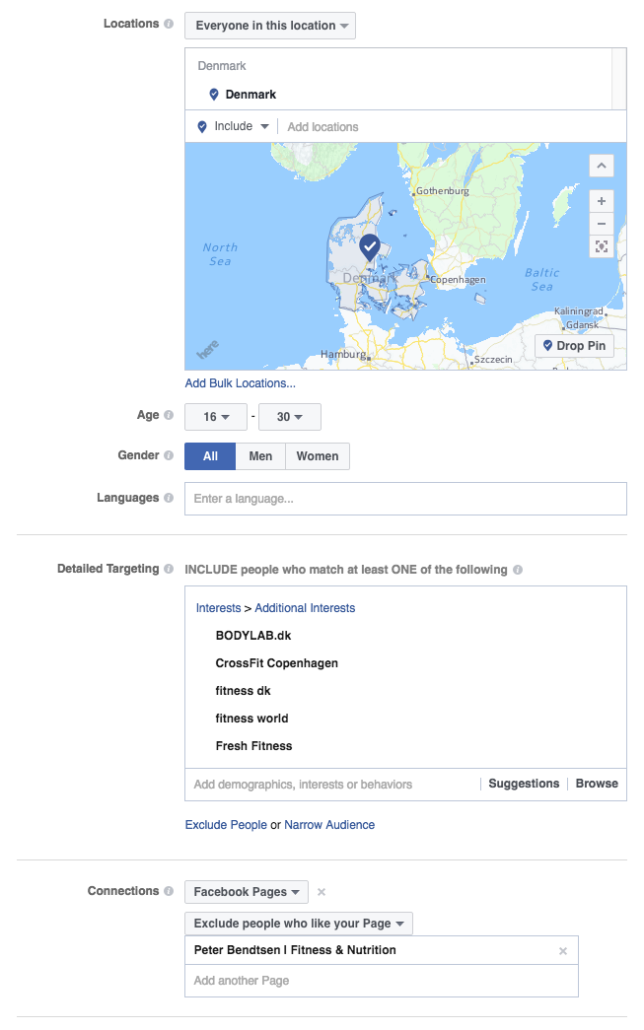
As shown above, I chose several interests Facebook suggested for Peter’s page. It’s easy to guess that members of Fitness World who take supplements might also be interested in tips and tricks for personal training.
I also chose Denmark as the location and a somewhat younger age, knowing Snapchat users tend to be younger than on other social platforms like Facebook.
This audience would give me between 200,000 and 300,000 potential fans for Peter’s Snapchat.
Placement
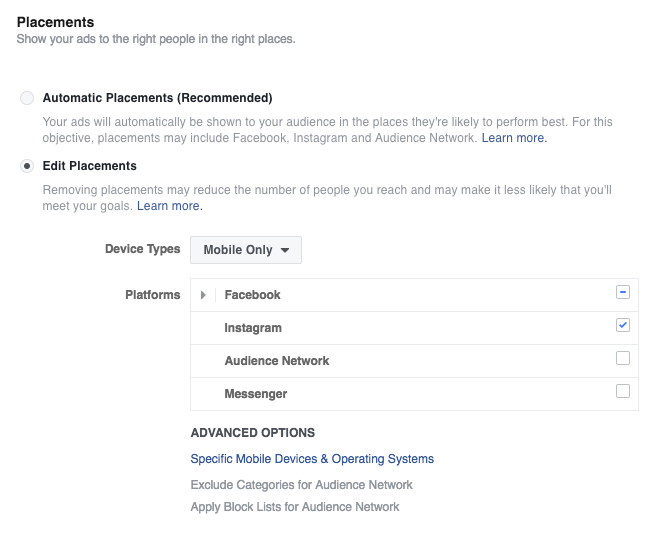
The most important part of this campaign and strategy is placement.
Through Power Editor, you can choose whether to show ads on mobile or desktop and where on those devices.
Since Snapchat is a mobile app, I always disable desktop so ads only show on mobile devices.
Create the ads
The last step is designing the ads themselves. I won’t create 10-20 different formats here, but in practice, I would make many engaging ads — and you’ll have future posts to look forward to 😉
The most important thing is that the ad provides some value to the user — you need to answer the question: “Why should I click here?”
Here’s a quick example of such an ad:
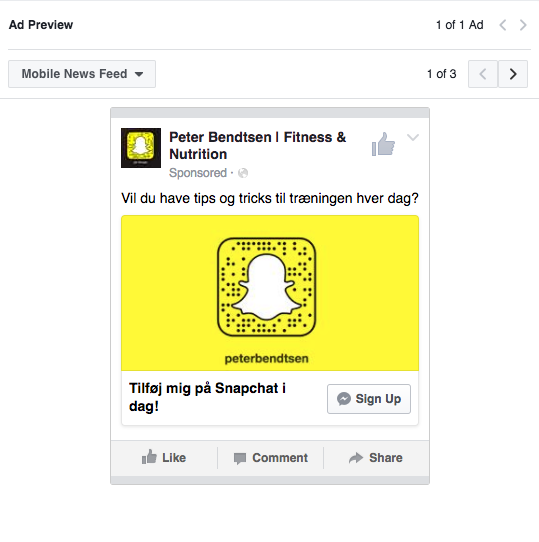
Tip: It doesn’t cost more to make many ads. For each audience, I often create 10-15 ads competing against each other. Over 2-3 days, I quickly identify which ads perform best. So be creative and test different graphic styles — the same goes for video, slideshows, etc. This way, you get results faster instead of testing one ad at a time.
Set your budget
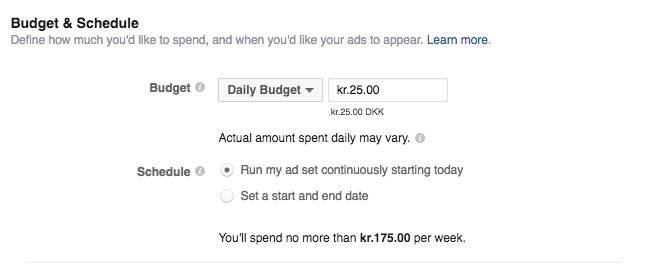
I always start with a low budget — in my opinion, it doesn’t make sense to start high since Facebook can spend quickly and waste your money. I start small and then check ROI (return on investment) and CPC (cost per click).
Run your ads for 2-3 days, then evaluate which audiences and ads to keep running.
My budget example
25 DKK is the minimum per day.
Conclusion
I see Snapchat marketing as a huge opportunity for many businesses!
Bloggers, personal trainers, and those in cooking or nightlife, for example, can benefit greatly from Snapchat because these types of businesses open up for visual content.
Snapchat is a unique way to create direct dialogue with both customers and potential fans — so jump in if it makes sense for you and your business!
What are your experiences with Snapchat, and have you tried it for business purposes?





Comments