




Targeting on Facebook can be difficult to figure out…
And it’s often the reason why many businesses give up on Facebook…
You’ve probably misfired 100 times if you’ve experimented with Facebook advertising. I certainly have.
That’s why I love Website Custom Audiences! Uh, what’s that, you may ask…
Website Custom Audience (WCA) is an audience segmentation tool you can use via Facebook’s audience manager. Instead of targeting fans, interests, location, etc., you can target people who have previously visited your website.
This can be a big advantage, especially if you have a larger site.
People who’ve already visited your brand or webshop are much easier to convert into sales.
Audiences I often use
- Everyone who has visited your website
- Visitors who’ve been on a specific page
- Visitors who have not visited a specific page (could be your checkout page)*
- Visitors who visited one specific page but not another (e.g. visited cart but didn’t proceed to checkout)*
- Visitors who haven’t visited your site within the last 30 days
- Visitors from any date range between 1–180 days
*If you’re running a webshop, you can also use dynamic ads.
[Tweet “Ever wanted to target your most loyal visitors? Here’s how…”]
1. Start by creating audiences
When setting up your campaigns, start by creating new audiences. You’ll find this under “Audiences” in your ad account.
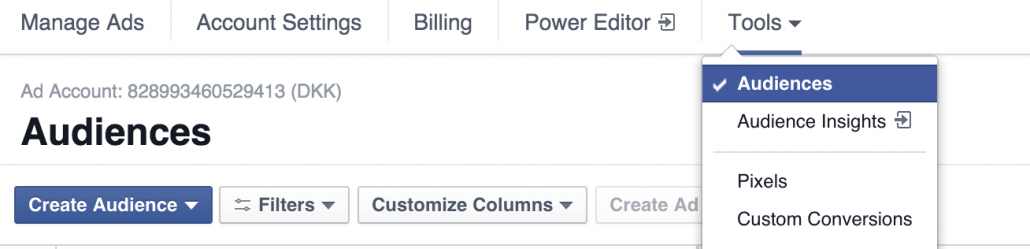
Then click “Create audience” (my Facebook is in English, so that’s what I’ll use – but the menu locations are the same in Danish).
Next, select “Custom audience.”
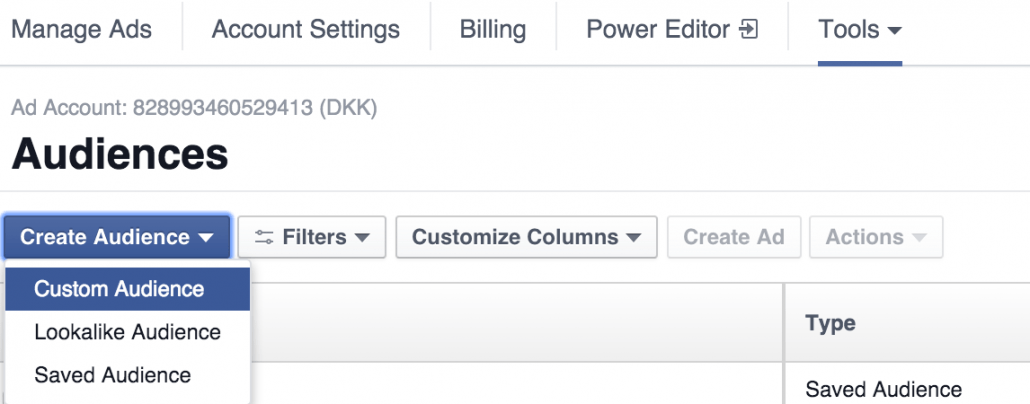
In the next window, choose which type of custom audience you want to create:
- Customer list: Upload a list of customers (emails/phone numbers) and target them directly. Effective for webshops and service businesses aiming to re-engage former customers.
- Website traffic: What we’re focusing on here – target people who have visited your website. Whether it’s a blog or a shop, you can segment based on what parts of your site they’ve visited.
- App activity: Target users who’ve used your app. For example, if someone hasn’t completed the registration process, you can advertise directly to them.
For now, choose “Website traffic.”
If a code appears, you’ll need to install the Facebook Pixel on your website. Read Facebook’s official guide here.
It should be placed between <head></head> in your site’s code.
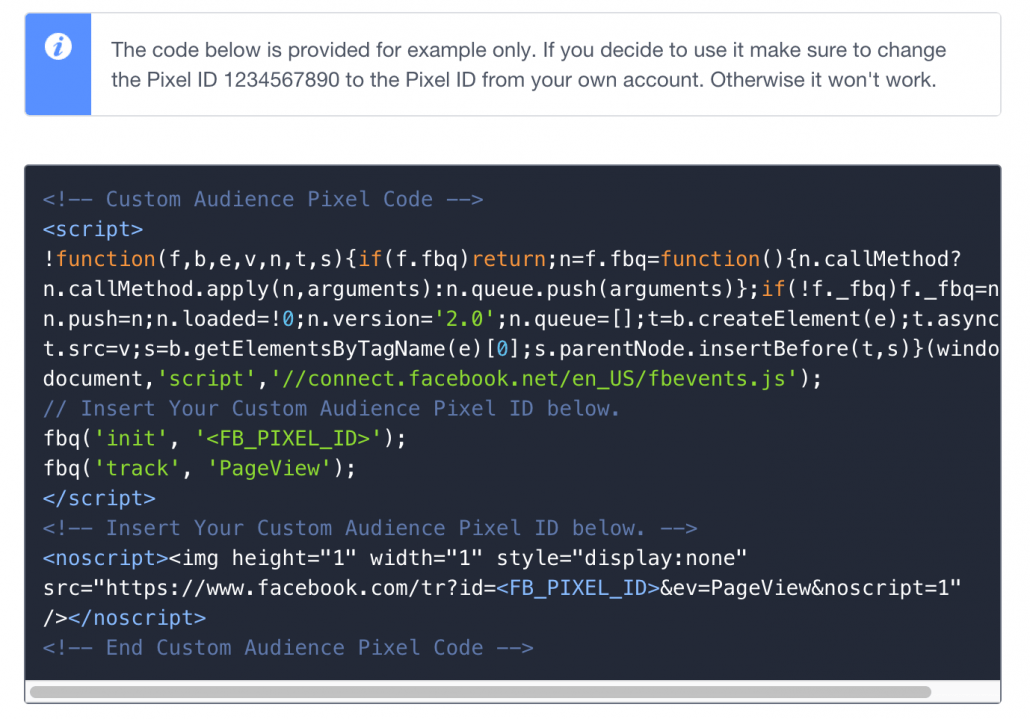
Yes, a bit nerdy – but simple to set up. Otherwise, hire a developer. If you’re using WordPress, it’s easy with the Editor or plugins – I’ll share a guide on this later.
Once installed correctly, a small green icon will appear beside your Pixel when you set up the WCA.
You’ll then see an option like this:
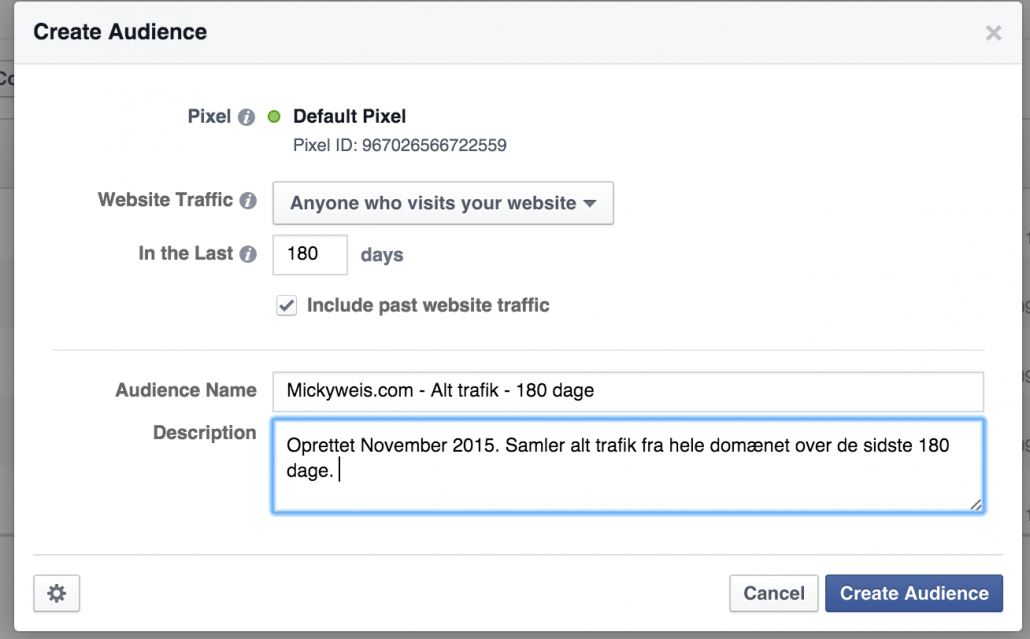
As in the screenshot above, I’ve selected to collect data from the last 180 days on mickyweis.com – that means all traffic is gathered into a list. Whether it’s good or bad readers, we’ll discuss that later.
Then click “Create audience.”
You’ll now see a screen with all your audiences listed.

Where it says “Audience too small” – that’s just because it’s new. After some time, Facebook will collect enough data and show a number instead.
Targeting specific pages
You might be thinking, “But I don’t want to include all my readers in the audience…” And bingo!
It can be unwise to target all traffic. What if you want only those who visited a specific page? Or someone who visited one page but not another?
Let’s say I want to retarget people who previously visited a post I just updated.
Then I’d set up the campaign accordingly.
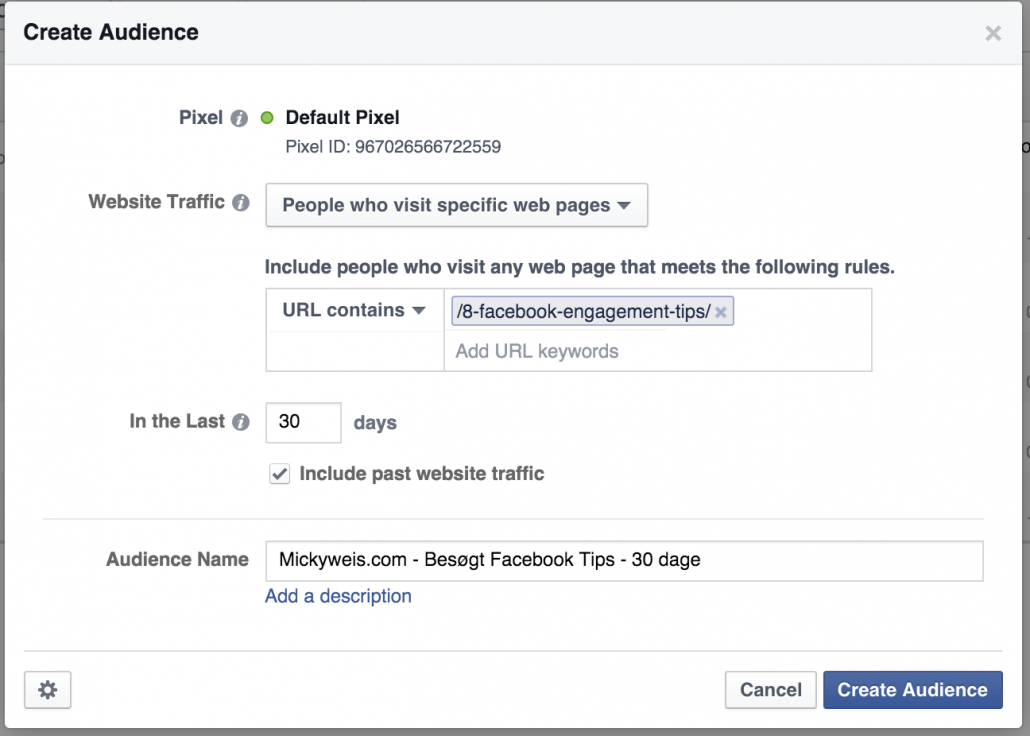
Or maybe I’ve written a new Facebook-related article – it makes sense to target readers who’ve shown interest in similar content before.
You can also use this with category pages. If your site sells various products, you might only want to target women’s fashion, not both men’s and women’s. Then you set the URL to include /womens-clothing.
Targeting visitors who haven’t returned in a long time
I often like to shake up old traffic. So I create campaigns aimed at people who haven’t visited in a while. See below how that’s done. You can use the full 180-day range, but I get the best results with 30–50 days.
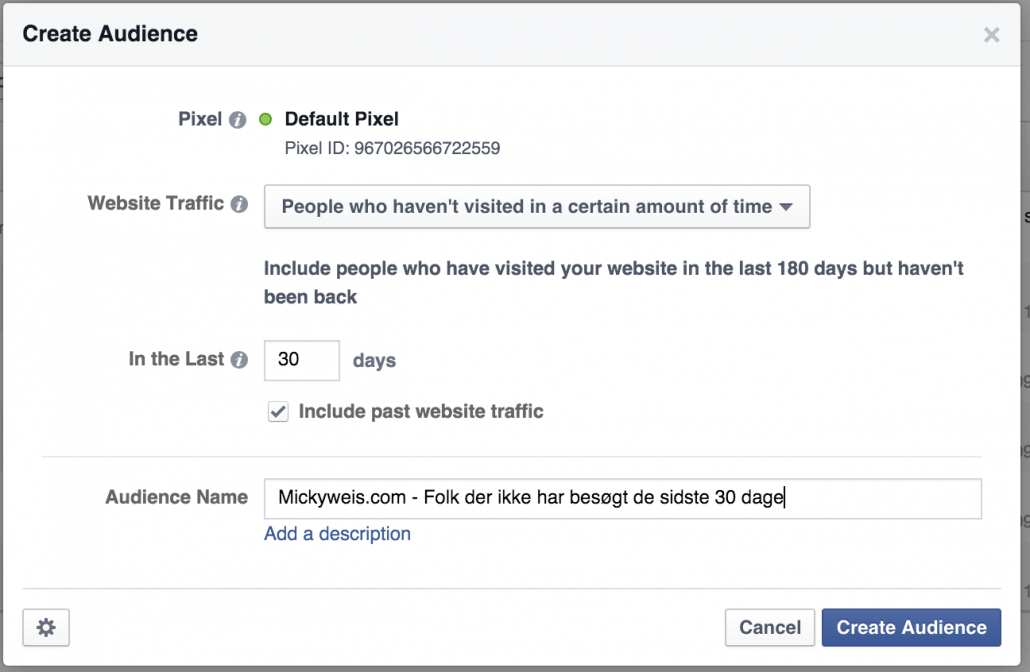
Targeting people who visited one page but skipped another
This is super useful for webshops. You can target users who visited your cart page (e.g. www.yourshop.dk/cart) and exclude those who completed a purchase (www.yourshop.dk/success).
It would look like this:
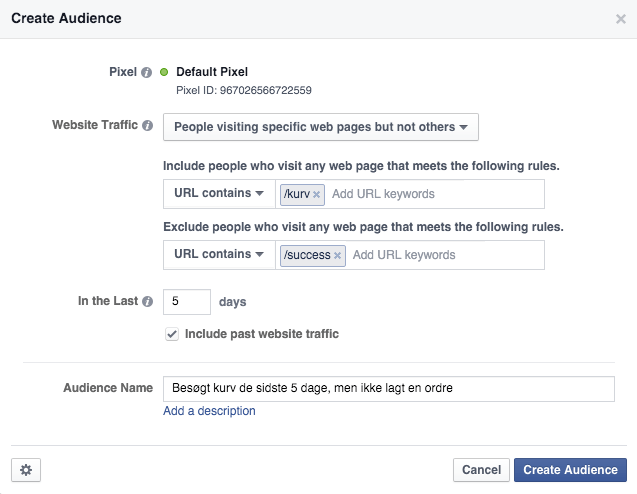
As you can see, I chose 5 days. My theory (supported by e-commerce data) is that 5 days catches recent abandoners. Always aim to hit them around payday – that’s when people have money to spend.
If you wait longer, there’s a greater chance the customer has moved on or found an alternative.
Test what timing works best for you.
This works for blogs too. If you have Part 1 and Part 2 of a guide, you can target users who read Part 1 but not Part 2.
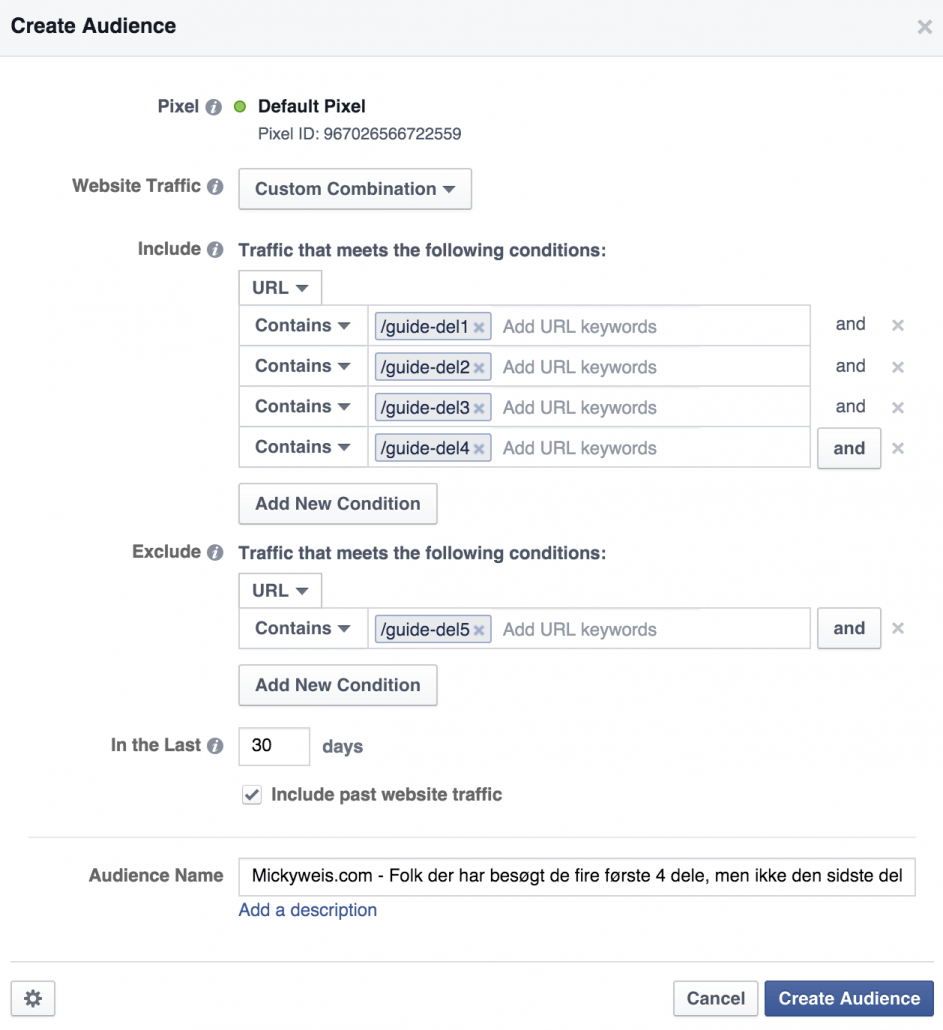
Finally, there’s “Custom combinations” where you control everything. It’s a bit more advanced and allows for multiple rules.
Let’s say you run a webshop with multiple steps or a 5-part guide – or a site structured by years (/2014 /2013 /2012). Now you can do some truly advanced segmentation.
Like this example based on a 5-part guide.
Tip: Focus on creating high-quality audiences. 1,000 loyal readers are better than 10,000 random clicks. Facebook is about quality if you want ROI. It’s not about the most likes – it’s about the right likes.
2. Create your new campaign
Let’s say you want to do branding via a video – and you want to reach the users collected in your audiences above.
Remember your structure!
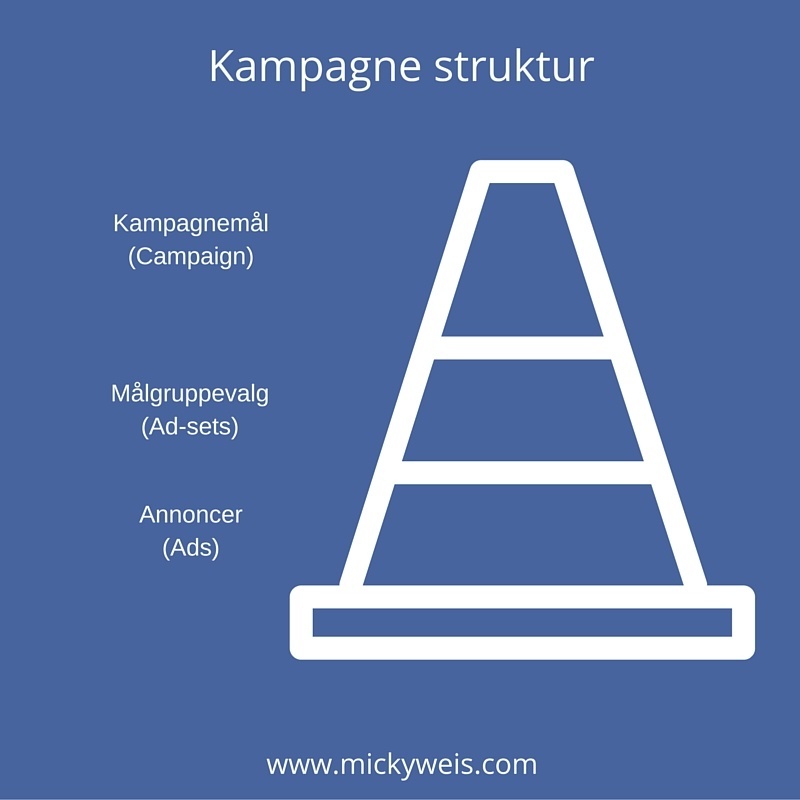
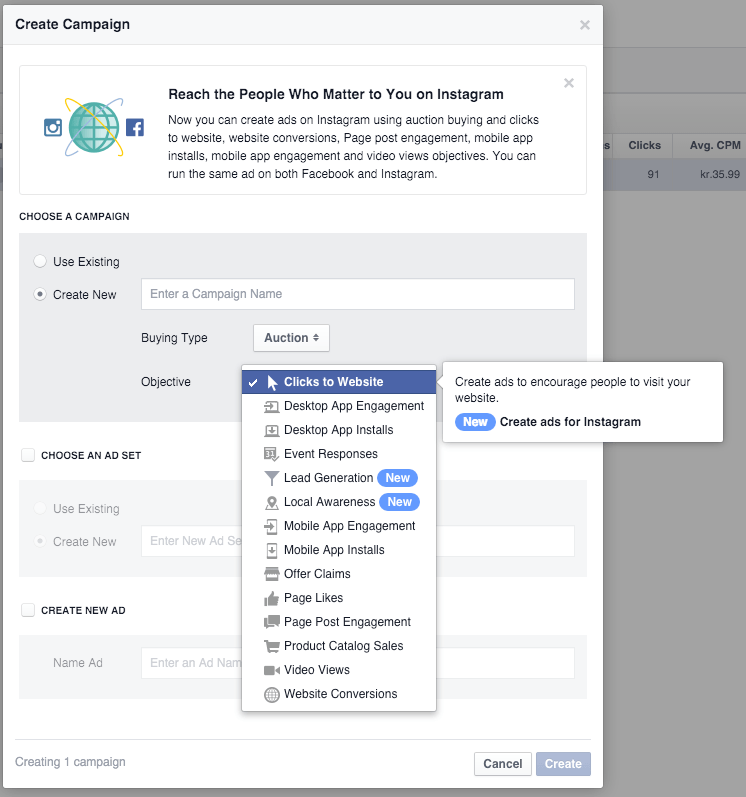
When you create campaigns on Facebook, you choose an objective. These define what your campaign is meant to do.
For branding a video, choose “Video views.”
Some objectives also mention “Create ads for Instagram.” Select these if you also want Instagram reach.
Name your campaign so you can find it again. I usually use a naming structure like: MW – (Campaign goal) – Year. That way, I know when and why I ran it.
Tip: You can easily create a campaign with 20–30 different audiences to test. It depends on your traffic. With millions of users, hyper-segmentation is useful. If not, broader targeting might work better to start gathering insights.
3. Set up your ad sets
Ad sets! This is where you define your specific audience.
When editing your ad set, choose your “Custom audiences” from the ones created in step 1.
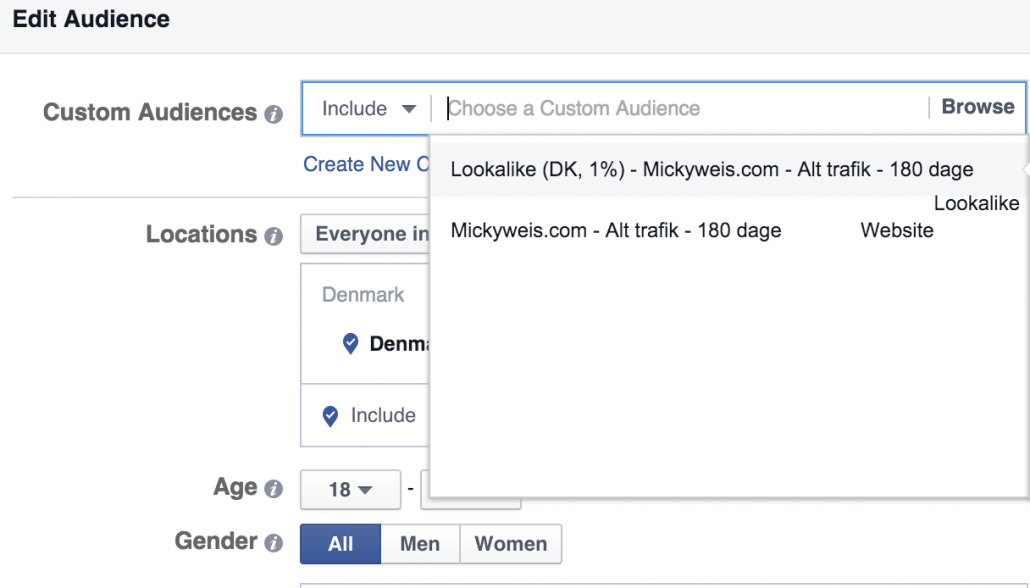
Now you’ll see an estimate of how many people you can reach.
You can also refine by country, age, and more.
Tip: If you want 110% optimized targeting, remember to exclude overlapping audiences. For example, if you have a fan audience and a visitor audience, exclude visitors from the fan list. This ensures clean data.
You can also use include/exclude for remarketing.
Let’s say you have an audience of past buyers and one for all site visitors. Exclude past buyers from the larger group.
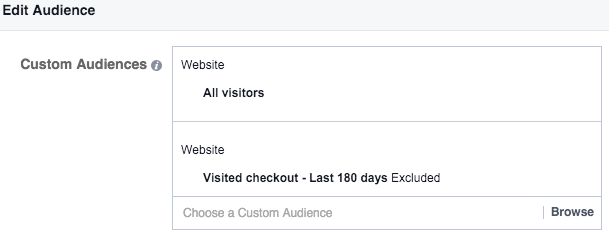
To be even sharper, create audiences per product (if your shop is small – otherwise use dynamic ads). Then, for instance, advertise discounts on Product A only to visitors of Product A.
4. Create your ads
When creating your ads, remember: people aren’t on Facebook to shop. It’s not like Google.
People are here to chat, join discussions, and get inspired.
So don’t push weak sales campaigns!
If you want to sell, have a clear CTA. Some strong CTA examples:
- Free shipping for 24 hours
- 30% off – today only!
- Thanks for following us – get 100 DKK off today!
Again – your industry will have plenty of options to offer value. It could even be product branding – just keep the focus on what need the product solves.
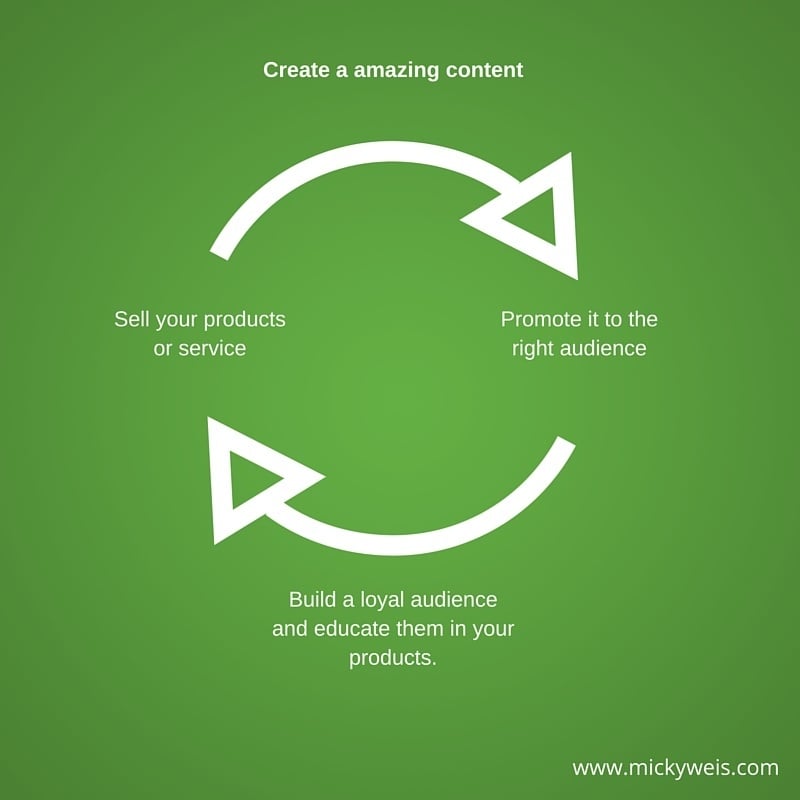
If your ads aren’t converting, switch tactics and push great content instead.
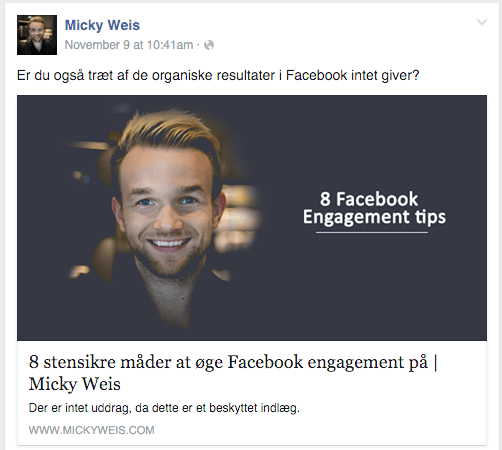
Recently, I ran a Facebook ad with one of my blog posts and got clicks for under 1 DKK per click. That means 100 visitors for under 100 DKK – and they were high-quality readers who spent time on the page.
Content first. Then sales.
Overdoing sales can hurt your brand – people get tired of your ads. Instead, serve your users great content.
Conclusion
Facebook is a strange beast for many. Some still swear by Google Ads. I believe a combination is key.
I don’t see advertising alone as a sustainable strategy – big players are pumping massive budgets into ads, making it hard to compete. Plus, paying for every single sale gets boring fast.
Exercise for you
Focus the next 30 days on creating insanely good content about your products. Whether it’s fashion, fishing gear, hair products, mobile accessories – whatever you sell online – you can create content people need.
- Publish 1 post per week educating users on your product
- Spend 2–3 hours weekly distributing your content
- Spend 200 DKK weekly to push it via Facebook ads (targeted to the right audiences as shown above)
I love sharing knowledge and hopefully helping others.
If you’d like to support that, it would mean a lot if you shared this post.





Comments