





Facebook continuously adds new features to its already advanced ad platform.
Today, I want to share 5 of the latest features I’ve been testing recently.
Maybe you’re already familiar with them – or maybe there’s something new to learn?
Let’s take a closer look!
Also read my guide on getting started with Facebook advertising
Use user behavior on your website
One of the best ways to reach a highly segmented audience is by using the traffic you already have on your website.
In short, this is done by installing a small code on your site. This code matches the traffic you get with Facebook users.
Audiences
Once implemented, Facebook matches your site visitors to users on its platform.
You can then select this audience during your ad planning.
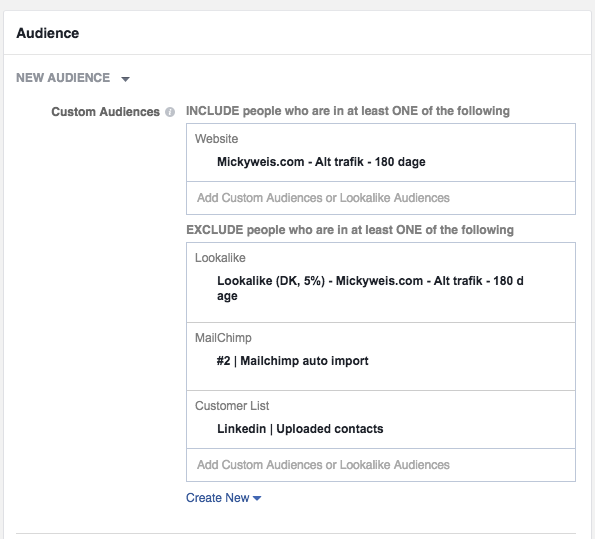
As shown here, I’ve chosen “Mickyweis.com – All traffic – 180 days”
That means those who have visited my site in the last 180 days will see these ads.
Remember to exclude your other audiences so the data doesn’t become distorted.
Users who performed a specific action
You can also make things a bit more “refined.”
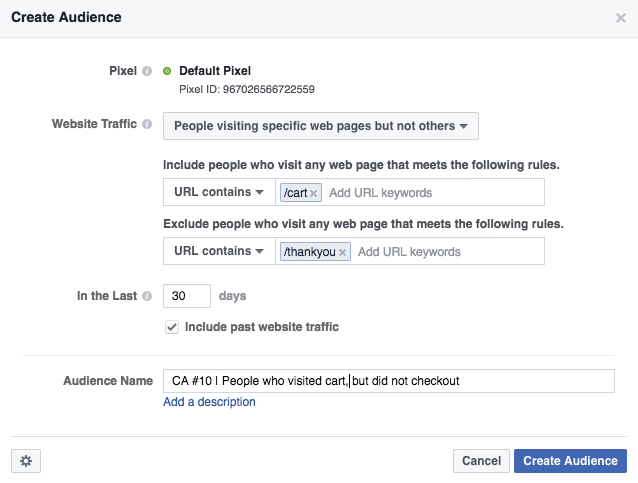
Let’s say you run a webshop – you can target ads to people who visited the cart but didn’t complete the purchase.
As shown below, I included visitors to /cart but excluded those who visited /thankyou.
That means those who made it to the cart but didn’t reach the “thank you for your purchase” page will see the ad.
Examples of strong audiences
- Users who visited your site in the last 30 days but didn’t buy
- Visitors to a blog post – promote a relevant product
- Users who haven’t visited your site for a long time – re-engage them
- Users who visited your site in the last 24 hours (target them while you’re top-of-mind)
Create ads
The final step is, of course, creating the ads.
This is where emotional call-to-actions can be highly effective.
Examples of effective ad texts
- Forgot to complete your purchase?
- We miss you – here’s 20% off in our webshop
- You bought magnesium before – but did you know this? (new article)
Ads in Messenger
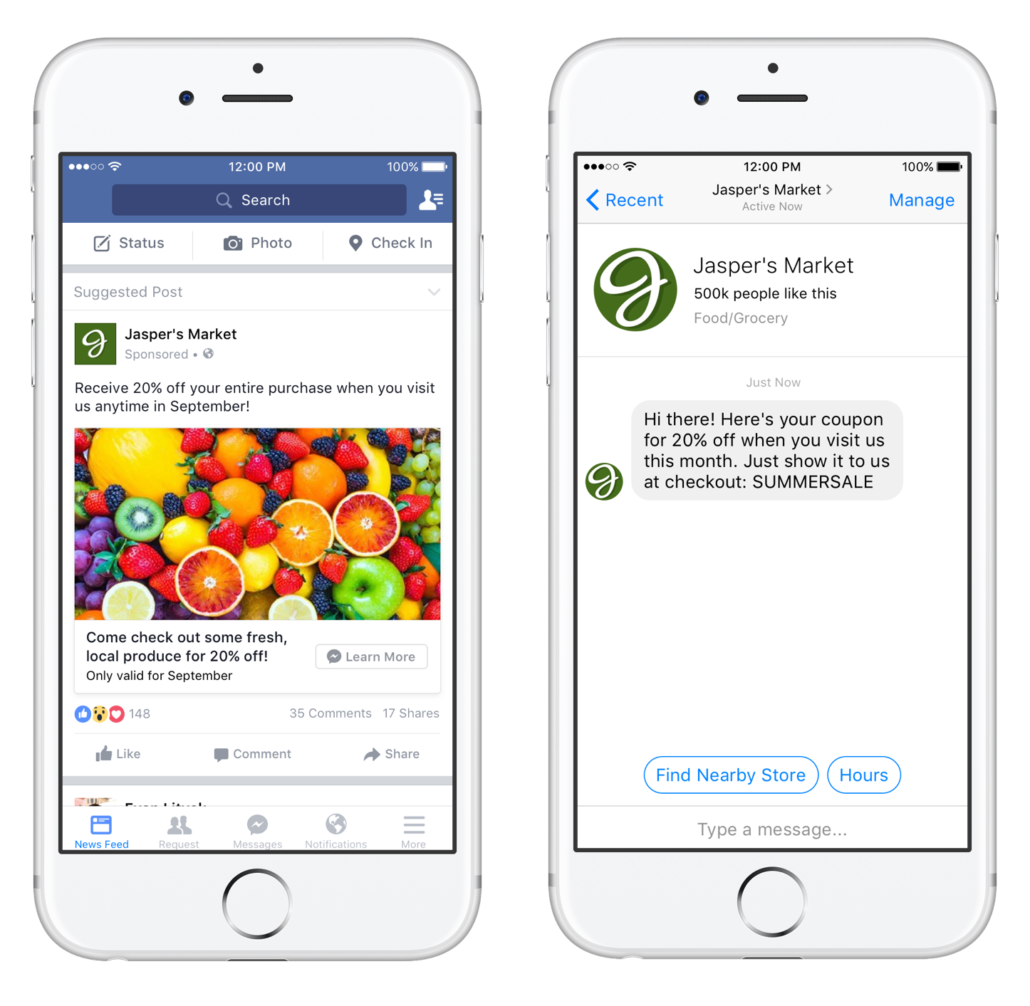
A new feature on Facebook is the ability to bring people directly into Messenger when they click an ad.
Why is that useful?
Imagine you want to start a dialogue with the customer – this is a modern version of personalized guidance or consultation.
Many statistics show users prefer writing a message via chat or email over making a phone call.
I imagine real estate agents, banks, insurance companies and more can benefit greatly from this.
We’re going to test it with Peter Bendtsen in connection with personal training this January.
The idea is something like: “Want to get started with your training? Message me your goals, and let’s turn them into reality.” This way, we have a dialogue with the customer right from the start.
This is what it looks like from Jasper’s Market
Tag products
Facebook is working hard to compete with Google when it comes to product sales. Let’s be honest – most of us still use Facebook to connect with friends and find inspiration from people and pages we follow. We’re not primarily there to shop.
That’s why Facebook has launched a tool to make it easier to buy the products we see – and easier for businesses to make them visible.
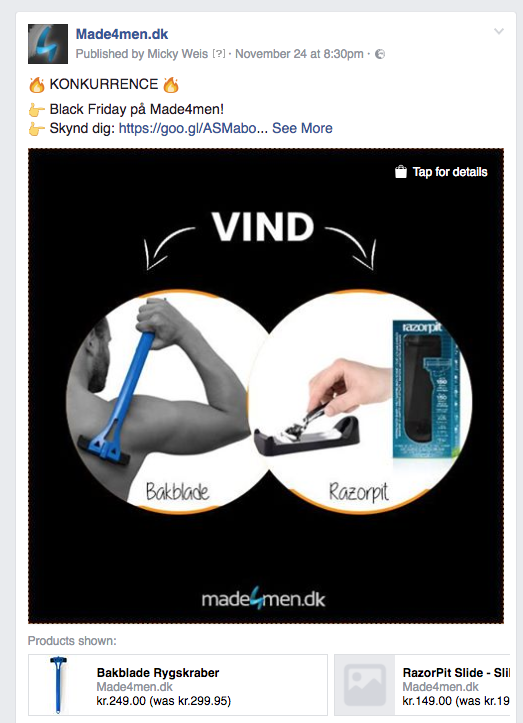
Example from Made4men
We’ve tested this on Made4men, and here’s how it looks:
How it works
You need to connect your product catalog through your webshop (Shopify, Magento or WooCommerce all offer relatively simple integrations).
This means Facebook pulls your products from a feed, just like Pricerunner or Partner-ads.
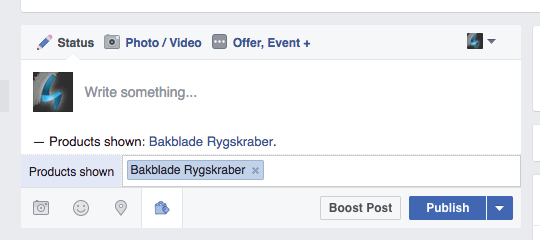
When working correctly, you can tag products in your posts.
Example 1 – tag products in posts
As shown below, you’ll get a feature called “tag a product.”
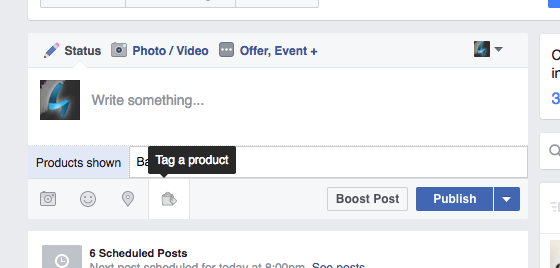
In “products shown,” you can start typing a product name, and Facebook will find it in your feed.
Example 2 – tag products in images
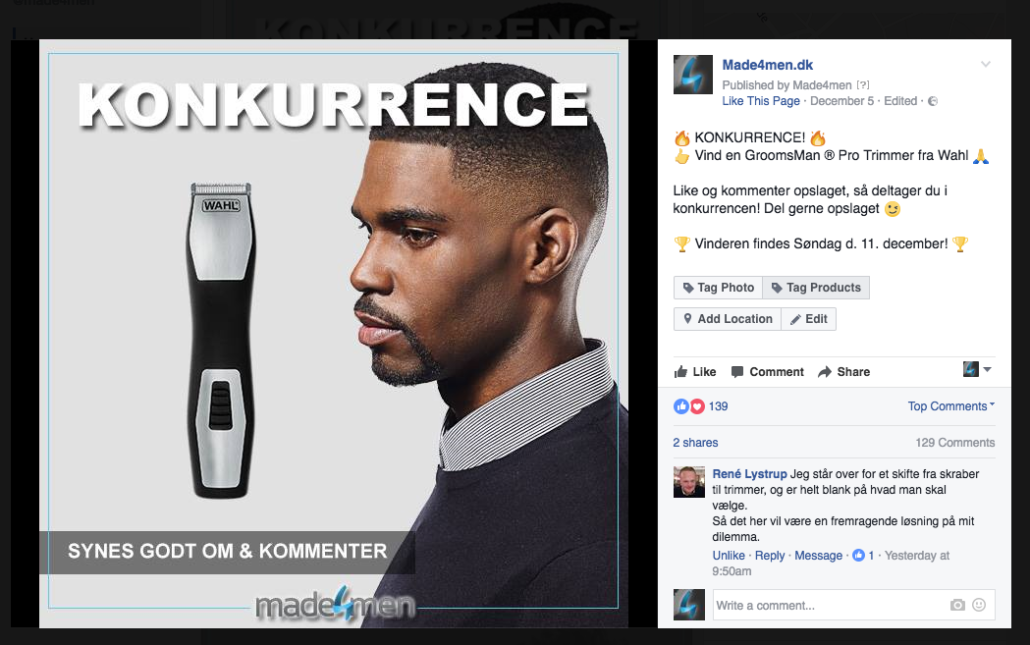
Have a very visual brand like jewelry? The function works the same way.
As you can see, there’s an option to “tag products” on the left. You then get the ability to tag items directly in the image.
Tip: When using this feature, make sure to tag products that are relevant to the post. Also remember that the products will show up in any ads you run based on that post.
Gamechanger for Instagram
Instagram, smartly owned by Facebook, is also rolling out a similar tag products feature, which lets users go directly to the webshop selling the tagged product.
This is a feature I strongly believe in – especially if it won’t require a product catalog.
That would allow bloggers, large Instagram fashion accounts and others to create affiliate businesses on a whole new level.
It will also benefit companies that actively work with influencers, as they can get even more value from those collaborations.
Jack Threads from Instagram for Business on Vimeo
Audience based on interaction
A newer Facebook feature allows you to target people who have engaged with your posts or ads on your Facebook Page.
What does this enable?
Let’s say you manage an active Facebook page with competitions and viral content.
You now have a great opportunity to get those users to like your page.
Or, say you’ve published a blog post that gets a lot of likes – why not promote a related product to those people?
Most of the people who participate in your contests and like your posts aren’t even fans of your page – especially if the content goes viral.
So give them what they’re interested in.
Upload your email list
Something I’ve gotten great results from is using newsletter subscribers as a target audience.
This is also possible via Custom Audiences.
If you have a large customer database or many newsletter subscribers – say, from your blog – you can target them with Facebook ads.
Great tips
- Segment your email list by best customers. Export those who’ve spent more than 1,000 DKK, for example.
- You don’t need to filter for gender, age or location before uploading – Facebook’s ad system handles that once the list is in place.
Bonus tip: Use the same audiences for Instagram.
You may already have played around with Instagram ads.
The great thing is that many of these new features also work on Instagram.
You can use the same audience definitions there.
In the ad set, just choose where you want your ads to appear.
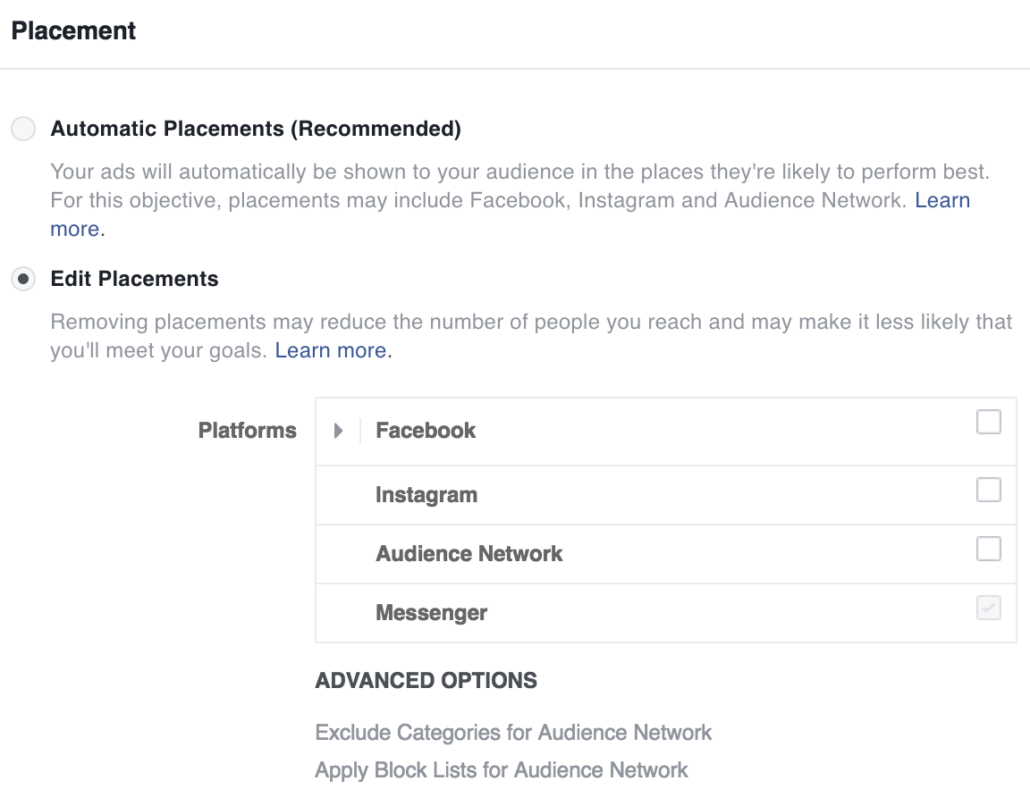
Tip: Always use 2 separate audiences – one for Facebook and one for Instagram. That ensures better data clarity when analyzing your campaigns.
Running both platforms under the same audience makes Facebook show the ad where its algorithm thinks it’s best – not necessarily where you want.
It also takes more experience to report properly and understand which platforms and ad types are most cost-effective.



Comments