




I wrote a post at the end of last year about the marketing trends I predicted for 2018.
One of them was AI – artificial intelligence – which I still believe is on the rise.
However, I’m particularly optimistic about messenger bots and bots in general that help reduce the time we spend on communication.
So, I decided to test this on my own platform – Filip is one of my good friends and has been working with messenger bots for the past few years.
He was allowed to build my chatbot with me so we could both use the process as a learning experience. That’s why today I’ve handed over the word to Filip, so he can explain exactly what messenger bots can do for you.
Note: I’ve temporarily turned off the bot since thousands of people tested it. We’re currently working on improving it to provide a more fully integrated experience. Thanks for your patience. The post is still very relevant for anyone considering implementing a bot into their marketing strategy.
Over to you, Filip:
I work daily with messenger chatbots. I help businesses streamline their sales funnels by automating customer interaction. If you have any questions about messenger bots, don’t hesitate to reach out here: [email protected]
Filip Emil Nielsen

Thanks, Micky.
Let me share my view on chatbots and how you can build one yourself.
Why does your business need a chatbot?
Marketing budgets always follow attention. And if more than 1.2 billion people use Messenger, shouldn’t your business be there too?
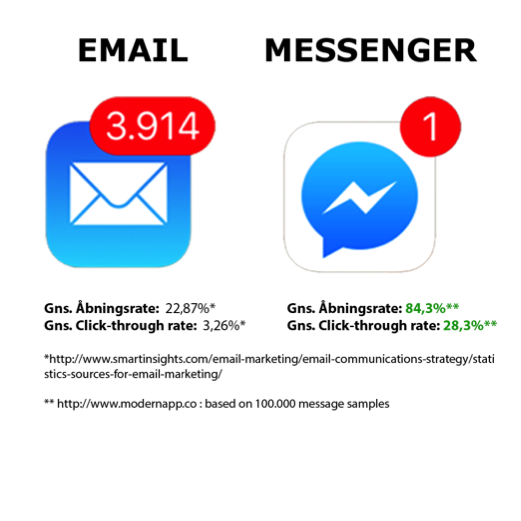
The trend shows people increasingly use the Messenger platform over email to communicate.
How do you communicate with your close friends, family, and colleagues? Most likely, you use one or more apps like Facebook Messenger, Slack, or something else entirely.
Yet we still send messages to our customers through email. Why not reach them on platforms where they already are, which are faster and more engaging?
An ideal platform for educating, building trust, and selling to your customers
Messenger chatbots are perfect for educating your customers through a series of sequences that are automatically sent out in the order you define.
You’ll see an average open rate of 80%, meaning your customers are more likely to trust you and your brand—and thus more likely to buy your product or service.
Most customers need several touchpoints with your business before they convert. A chatbot gives you these touchpoints quickly and for free.
Even if 20% don’t open your message, you can be almost certain they at least saw it, as it pops up via Messenger notifications.
With an average open rate of 80% and a CTR (click-through rate) of 30%, it becomes significantly easier to segment your audience—which benefits both you and your customers.
You get customers who aren’t annoyed by your newsletters, and they receive valuable, tailored content that they’re genuinely interested in.
Take action now
In 2003, people weren’t sure if email would catch on. Those who implemented it early found great success. It’s very similar to where chatbots are today.
As a business owner or marketing manager, you simply can’t ignore chatbots in 2018.
You now have the chance to enter this market before it’s saturated—and most importantly, stay ahead of your competitors. These high open and click rates may not last forever. So act now!
Facebook opened up its Messenger API in 2016, allowing businesses to use Messenger for building bots. Since then, Facebook has added multiple features to encourage people to spend more time on the platform. With more users comes a greater opportunity for businesses.
Chatbots are computer programs that communicate with your fans, customers, and leads—on platforms where they already spend most of their screen time. It’s comparable to email marketing, only through messaging apps instead.
How do you get started with chatbots?
What should you consider before getting started?
It’s essential to ask yourself: What problem or function will your chatbot solve? Once you know that, you can design an effective flow to guide customers in the direction you want, with greater clarity.
Examples of what your chatbot can do:
Segment leads, validate leads, lead generation, data collection, customer service, build long-term relationships, educate, sell, automate sales funnels, send newsletters, free retargeting, bookings, orders, FAQs, locations, etc.
First step
Choose a platform to build your chatbot. It can be overwhelming to compare features and figure out which is best. In the end, it’s subjective—so focus on which functions you want your bot to have.
Here’s a quick overview of some major chatbot platforms:
- Chatfuel.com
- Manychat.com
- Engati.com
- Wit.ai
- Motion.ai
- Flowxo.com
- Botsify.com
- Mindiq.com
Once you’ve created an account on one of these platforms, you can start building your bot.
The first building blocks you need are:
Welcome message, Default answer, AI (artificial intelligence), and Persistent menu.
Welcome message
This is the first message people see when they contact your page. It’s good practice to tell users what to expect so they’re not confused or annoyed.
Default answer
Handles phrases your AI can’t understand. Keeps the conversation going or brings the user back to the main menu.
AI
This is your chatbot’s intelligence—how it responds to user messages. You define which phrases it recognizes and what replies to send.
Often, the user’s input must closely match the preset phrases. That’s not very “intelligent,” and true AI capabilities are still limited. Even the biggest companies haven’t nailed it yet. However, you can connect your chatbot to Dialogflow (owned by Google) to boost its capabilities.
Persistent menu
The menu at the bottom of the chat. It lets users return to core functions, unsubscribe, or speak to a human. This depends on your business, but always include an easy way to return to the menu or opt out.
Once you’ve set up those four parts, you can begin building Blocks.
Blocks
Blocks are the core building pieces of your chatbot and structure the conversational flow. Every block connects to others using buttons or quick replies.
Make sure your blocks reflect the original problem or goal you defined for your chatbot.
Getting subscribers for your Messenger bot
Once you’ve built your world-class bot, you need users. There are many ways to get people to subscribe. The methods depend on the platform you’ve used to build your bot, as each offers different growth tools.
Comments
Pick a specific Facebook post and send messages to those who comment. You can require them to write a specific word to trigger the message.
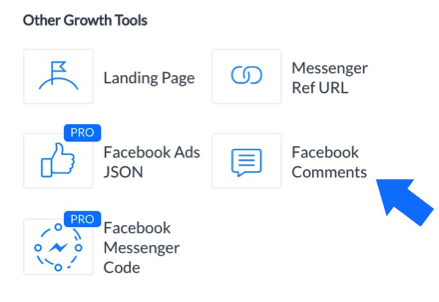
You can add incentives to the post such as “Get a discount code,” “Receive our eBook,” or enter a giveaway.
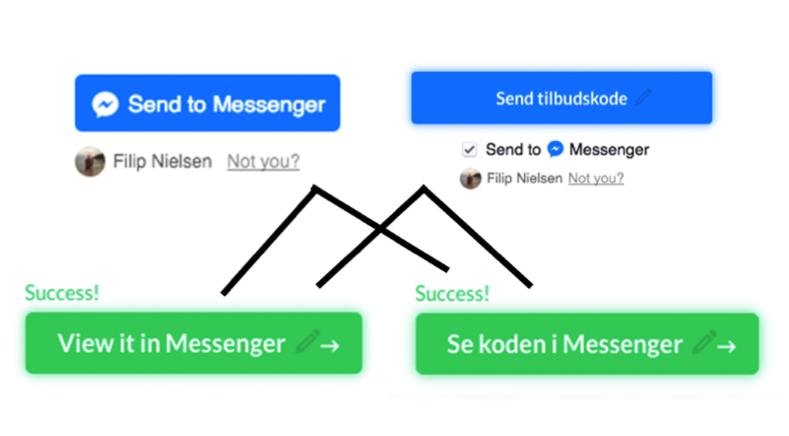
Buttons
There are two button types:
The standard “Send to Messenger” and a customizable version with a checkbox and the user’s Facebook profile picture.
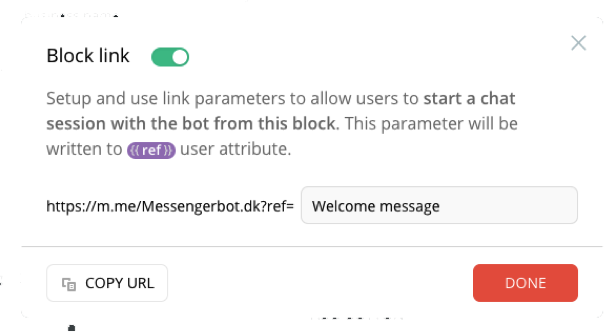
Ref Links
You can create referral links from any point in your chatbot funnel. Add these to buttons in tools like WordPress, Mailchimp, etc.
Pop-ups
Not all platforms support this yet. Manychat offers various pop-up types: exit-intent, slide-in, takeover, top bar, and standard pop-up.
Landinpage
You can create a landing page where users subscribe to your chatbot. These pages are often very basic but functionally similar to a pop-up on a blank page.
Facebook Messenger code (Facebook’s QR code)
Facebook offers unique scannable codes using Messenger. This allows for offline marketing through physical media like posters or business cards.

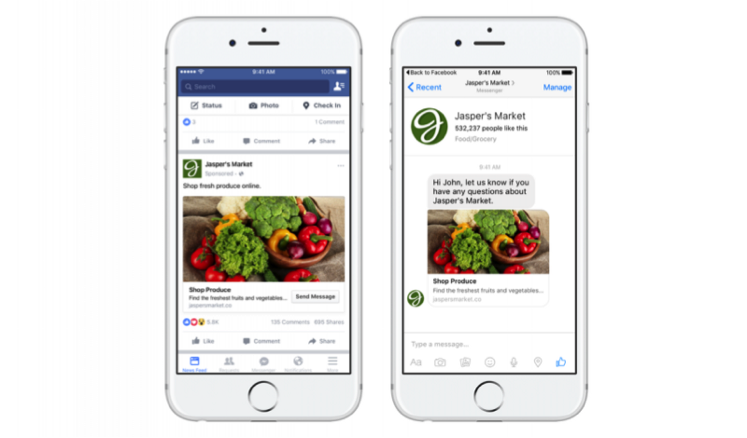
Messenger ads
Messenger ads are a powerful retargeting tool. You can send users back into your chatbot flow for fast and effective service. Just ensure the ads align with your chatbot so you don’t need to manually reply in Messenger.
Chat plugin
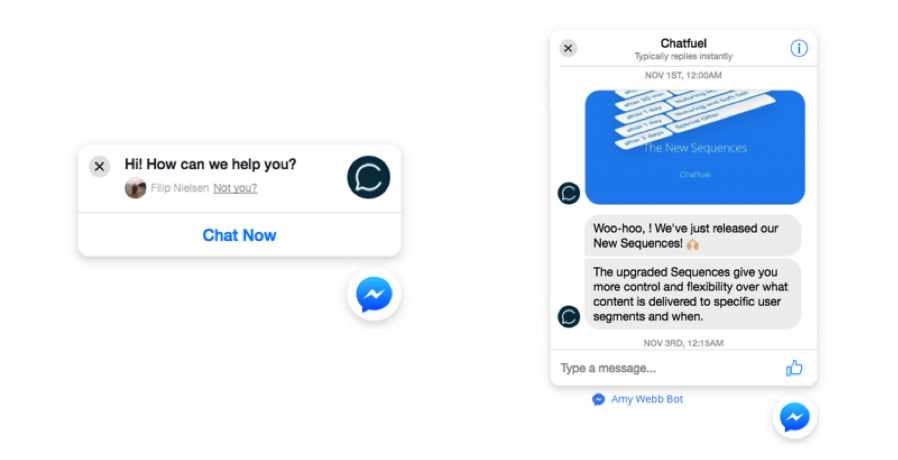
This is the Messenger icon in the corner of your website. It opens a chat directly on your site (no new window). Visitors who engage are automatically subscribed to your chatbot and can be retargeted for free.
Writing text for Messenger
How do you write the right kind of copy for Messenger?
It’s crucial to adapt to your users’ behavior—on any platform. Messenger is no exception.
Avoid being overly formal, and save longer texts for email. People aren’t used to reading long messages in Messenger.
You want users to complete your flow. So, use techniques that keep them engaged.
Make the flow fun, clickable, and relevant to the problem your bot is solving.
Some things that make the conversation more engaging:
Emojis – Use emojis to make conversations more fun and drive clicks on buttons.
(emojipedia.org)
Typing bubbles – They make the experience feel more human and dynamic. Add them before sending longer messages.
GIFs – Add reactions with animated GIFs.
(giphy.com)
Attributes – Collect data from users and personalize the experience. For example, if someone says they’re interested in online marketing, the bot can respond, “Awesome. I love online marketing too!”
Facebook’s guidelines
How do you avoid complaints and violating Facebook’s rules?
Facebook wants both users and businesses to have a good experience on Messenger. To ensure this, they’ve created terms of service (TOS) that you must follow.
Here’s how to avoid getting banned:
- Make it easy for users to unsubscribe, so they don’t report you as spam.
- Note that after 24 hours of the last user interaction, you cannot send promotional messages.
- Inform users what to expect when subscribing, and offer frequency settings if you send frequent messages.
You can read their full guidelines here.


Comments